Delete your Supernova account
You can delete your account yourself from the Supernova app on iPhone and Android. It takes under a minute.
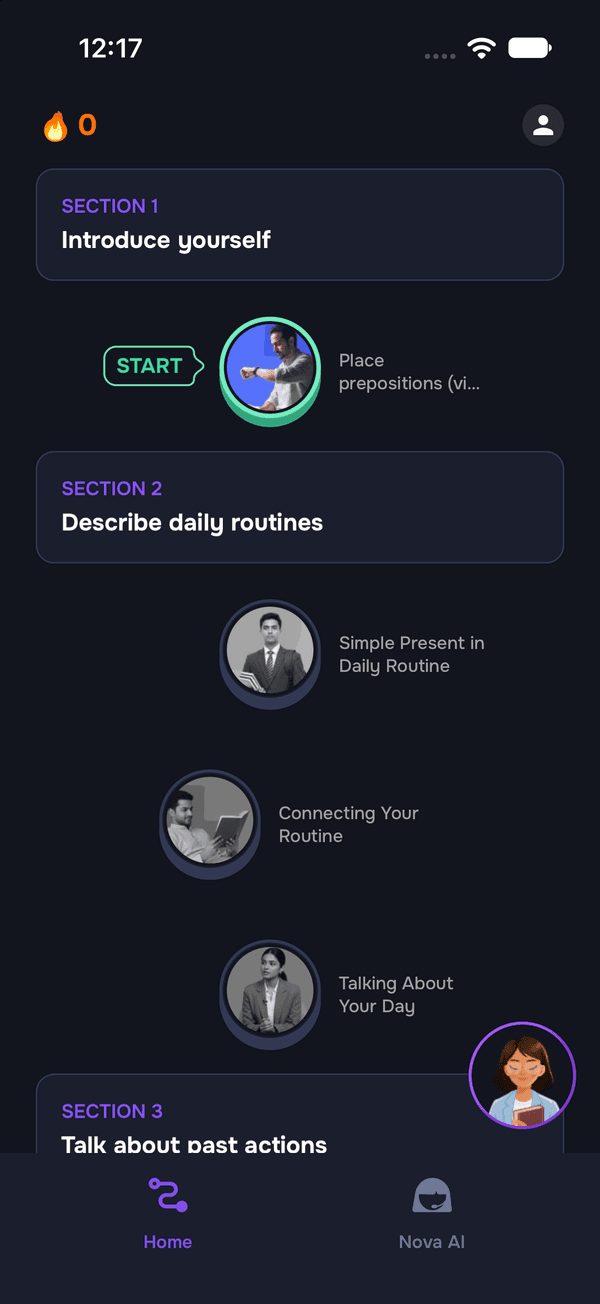 1
Open your profile
Open Supernova and tap the profile icon in the top-right corner of the home screen.
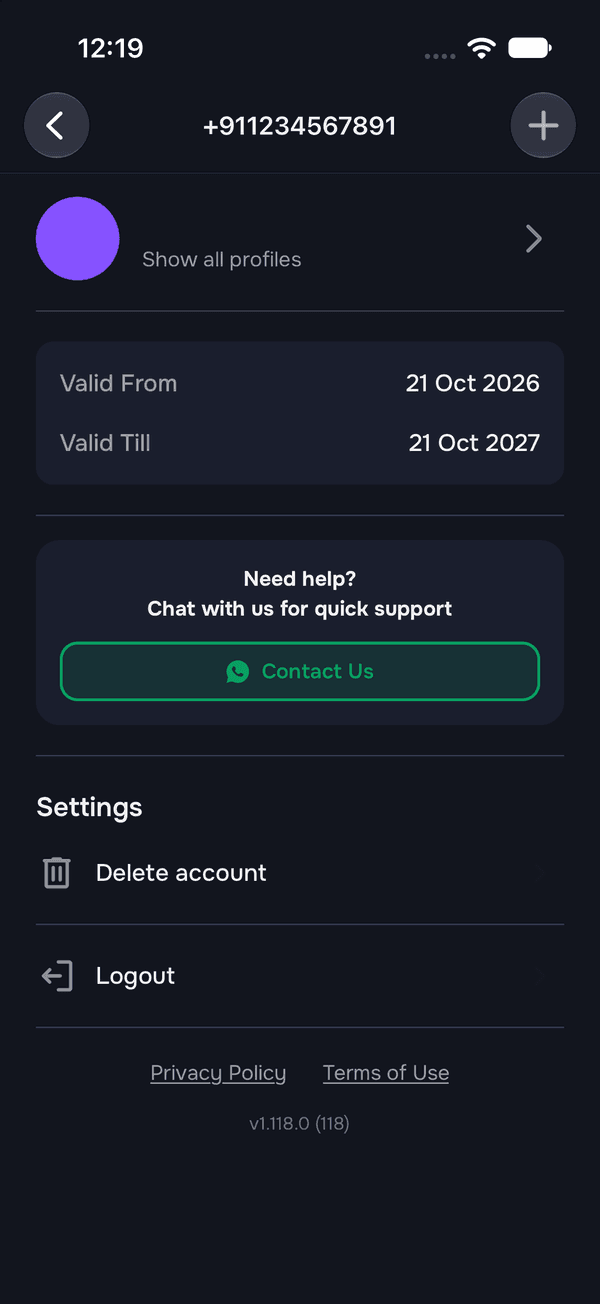 2
Tap Delete account
Scroll to Settings and tap Delete account.
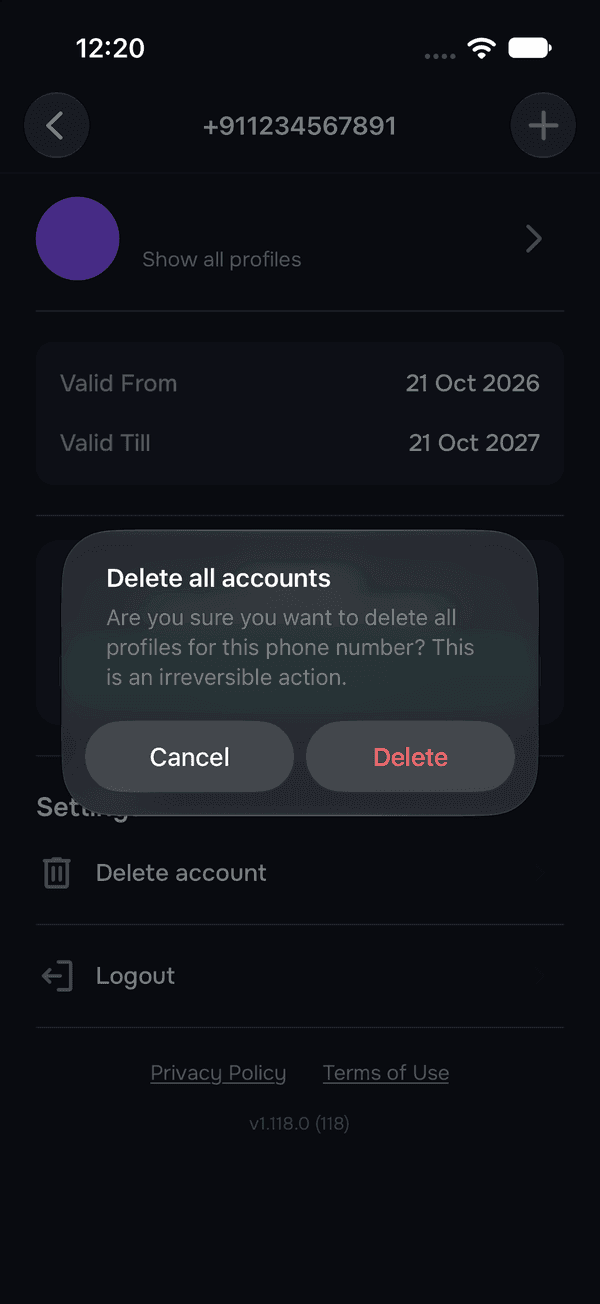 3
Confirm
Tap Delete in the “Delete all accounts” prompt. Tap Cancel if you change your mind.
What happens when you delete
- Every profile on your account is deleted.
- You're signed out of Supernova on all your devices.
- Deletion can't be undone. Signing up again later starts a new account.
Before you delete
Deleting your account doesn't cancel a subscription bought through the App Store or Google Play. Cancel it in your App Store or Google Play subscriptions first.
Can't open the app? Email hello@getsupernova.ai with the phone number or email you signed up with, and we'll delete your account for you.